Follow the work as it happens
Watch live conversations and tool calls. Expand a command for its output or an edit for its diff.
Run sessions, review code changes, and use the browser alongside your agents. Keep the conversation and the work in the same window.
macOS, Windows, and Linux. Uses the CLI login you already have.
 The workspace
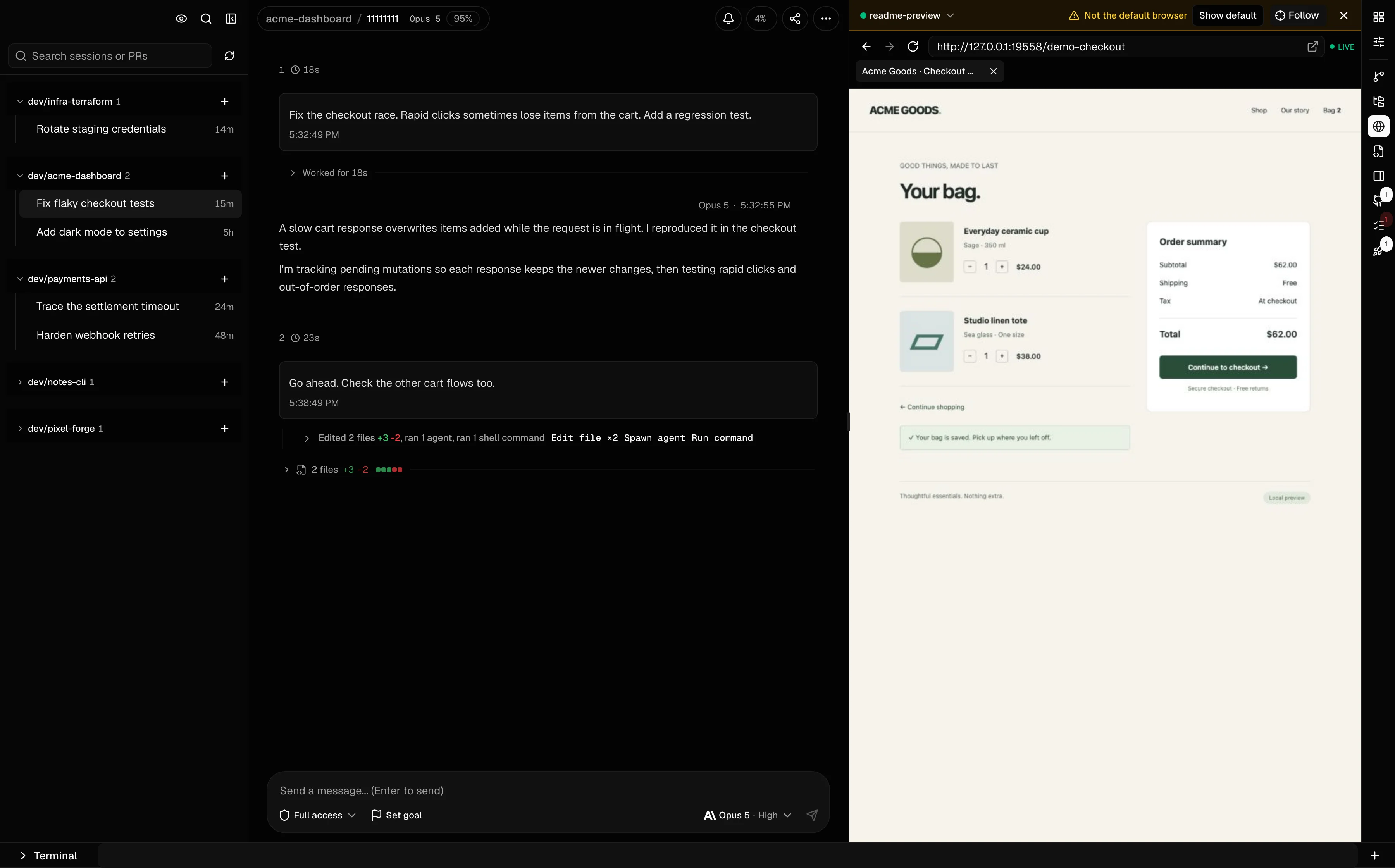
Your agent's conversation and live browser, side by side.
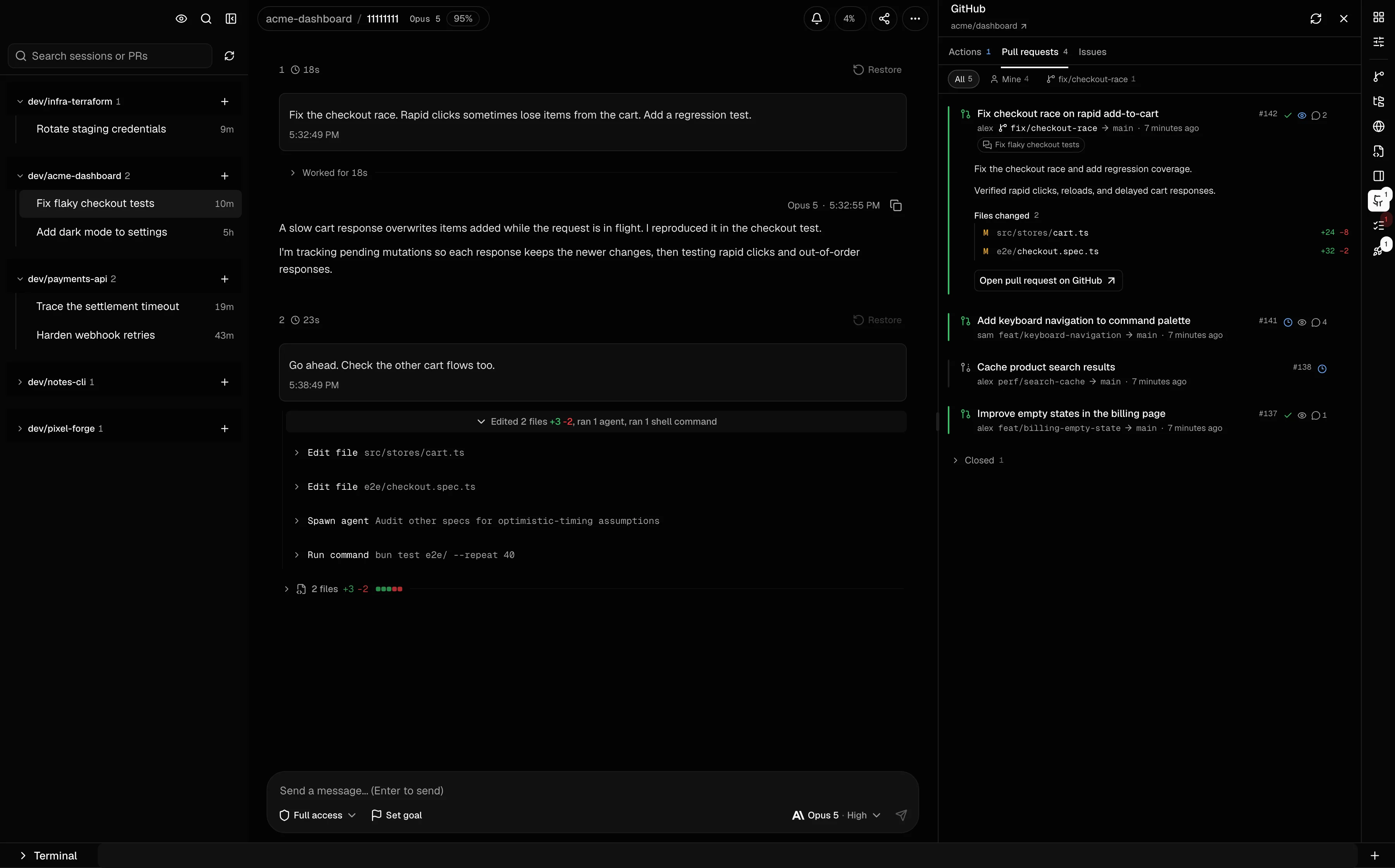
Pull requests, changed files, and reviews beside the conversation.
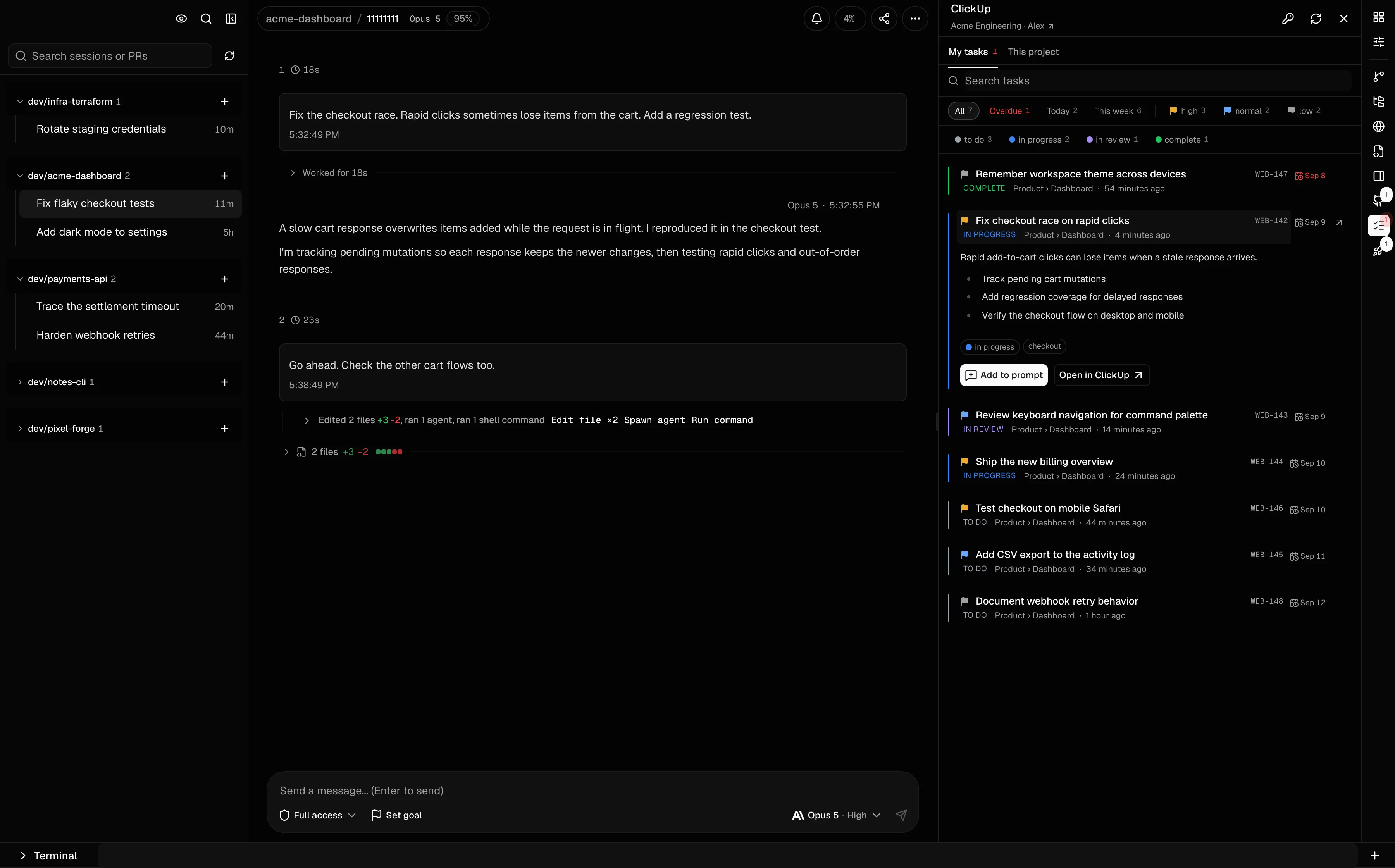
Find a task and add its requirements to your agent's prompt.
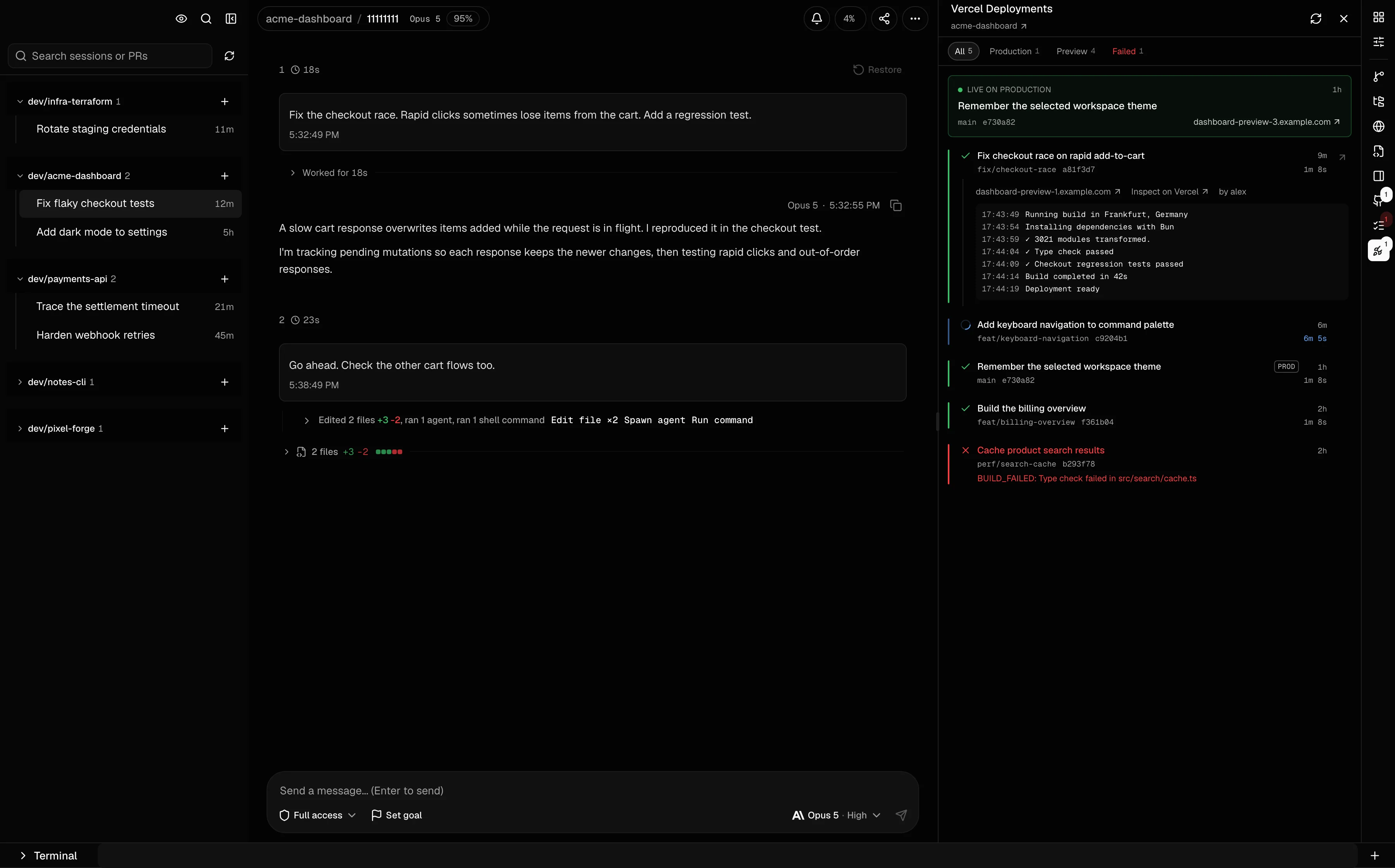
Check deployments, inspect build logs, and open the right preview.
Actual Cogpit screenshots. Demo sessions and sample project data.
The conversation is only part of the job. Keep the files, tools, browser, and next decision right beside it.
Watch live conversations and tool calls. Expand a command for its output or an edit for its diff.
Inspect changes by turn or review the session's combined diff. Open a file in the built-in editor.
Find sessions by project, prompt, branch, or pull request. See what is running and what needs an answer.
Watch the agent's browser, check a page, or take over a login. Shared and named browsers keep their logins.
Return to an earlier turn and take a different approach. History and file restoration follow each CLI's controls.
Branch & rewindInspect recorded agent activity, tasks, and results alongside the parent conversation, where the provider exposes them.
Explore subagentsModels and controls come from the CLI you installed. Switch agents without losing what each one can do.
Connect GitHub, ClickUp, and Vercel. The task, the pull request, and the preview sit beside the session that produced them.
Find a ClickUp task by status or due date and add its requirements to your prompt.
Check reviews, changed files, and Actions runs. Jump back to the session linked to a PR.
Find the Vercel preview, inspect build logs, and open the page in the shared Browser panel.
Run Cogpit as a desktop app or a local web app. Connect another machine when your work needs to travel.
Cogpit reads sessions from your local CLI directories. No Cogpit cloud account, no history upload. Your agents keep using their own model providers.
Connect through your phone's browser or switch between registered machines. Remote access uses HTTPS and authentication.
Remote access & self-hostingSign in to Claude Code, Codex, or Copilot CLI as usual. Cogpit picks up your sessions from there.
Installers for macOS, Windows, and Linux. Free, with the full workspace included.
Get the latest releaseBuilds for Apple Silicon and Intel Macs, Windows x64, and Linux as AppImage or pacman.
Windows builds are unsigned and have had less testing. SmartScreen may show an unknown-publisher prompt.
One command starts a local server and opens Cogpit in your browser.
bunx cogpit@latest Requires Bun and Node.js 20.11 or newer. Press Ctrl+C to stop the server.
Launcher & self-hosting guideNo Cogpit account, API key, or paid plan. Install and sign in to Claude Code, Codex, or GitHub Copilot CLI, then open Cogpit. Your agent provider's subscription, charges, and usage limits still apply.
Cogpit reads the CLI history on your machine. It does not upload that history to a Cogpit cloud service. Your agent CLI still talks to its model provider, and optional integrations or remote access use the services you configure.
Yes. Claude Code, OpenAI Codex, and GitHub Copilot CLI sessions live in the same workspace, grouped by project. Each session uses its selected CLI and the controls that CLI supports.
Cogpit supports GitHub Copilot CLI sessions. It does not import VS Code Copilot Chat history. Install and authenticate Copilot CLI before starting a Copilot session.
Yes. Enable Network Access in the desktop app or run a headless Cogpit server, then connect through your phone's browser. Remote browser access requires HTTPS and authentication. The device switcher lets you move between registered machines.
Cogpit shows available token usage, context, and account limits. Cost estimates use published model prices when the provider exposes enough data. They are estimates, not a billing statement.